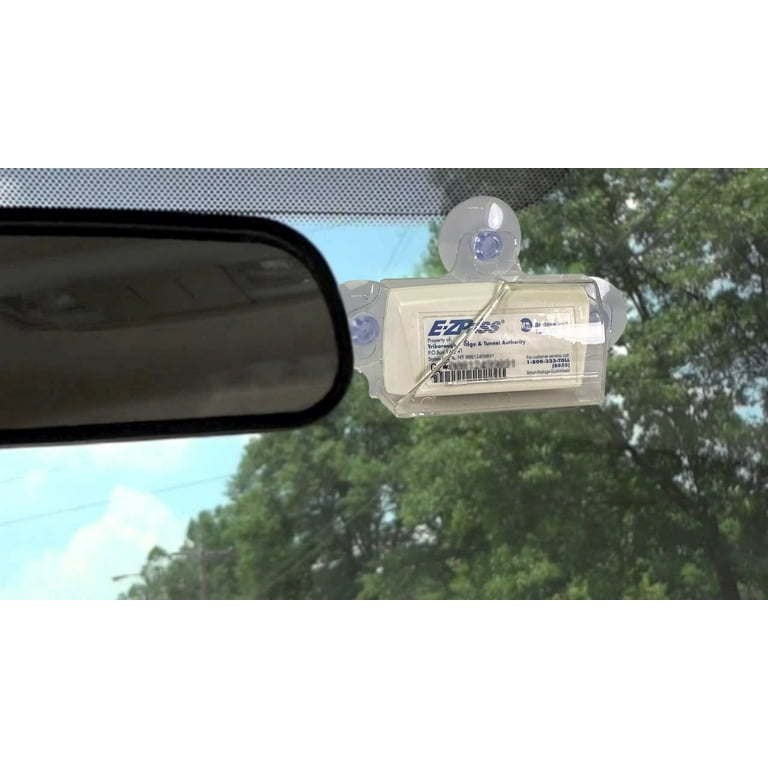
The question “can I use my E-ZPass in a rental car?” sounds simple, but it’s one of the most misunderstood toll questions in North America. Every year, renters get hit with surprise toll bills, admin fees, and even double charges because they assumed the answer was obvious.
Best PDF Tools Used By Our Car DealershipHere’s the reality, explained cleanly, legally, and with official sources hyperlinked throughout so you can verify everything yourself.
Short Answer (Read This First)
Yes, you can use your own E-ZPass in a rental car — but only if you do it correctly.
If you don’t:
- You may be charged twice
- You may trigger the rental company’s toll program
- You may pay tolls plus admin fees of $10–$30 per day
This guide explains exactly how to avoid that.
What Is E-ZPass (and Why Rental Cars Complicate It)
E-ZPass is an electronic toll collection system used in 19 U.S. states, primarily in the Northeast and Midwest.
Official E-ZPass states list:
👉 https://www.e-zpassiag.com/about-e-zpass/where-can-i-use-it
Your E-ZPass account links:
- Your transponder
- Your license plate(s)
- Your payment method
Rental cars break this system because:
- The plate isn’t permanently registered to you
- Rental companies often install their own toll devices
- Plate-based tolling can override your transponder
Can I Use My Own E-ZPass in a Rental Car?
Yes — Legally and Technically
According to official E-ZPass guidance:
- E-ZPass is portable
- You can move it between vehicles
- It is not tied to a specific car permanently
Source:
👉 https://www.e-zpassiag.com/about-e-zpass/faqs
But portability comes with conditions.
The Critical Rule Most People Miss
You MUST Add the Rental Car’s Plate to Your E-ZPass Account
If you don’t:
- Plate-based tolling may bill the rental company
- The rental company may charge you tolls + fees
- Your transponder scan may be ignored
Most E-ZPass agencies explicitly state this requirement, including New York and New Jersey:
👉 https://www.e-zpassny.com/en/about/faq.shtml
👉 https://www.ezpassnj.com/en/about/faq.shtml
Step-by-Step: How to Use Your E-ZPass in a Rental Car Correctly
Step 1: Bring Your Own Transponder
Do not rely on the rental car’s toll device.
Step 2: Log In to Your E-ZPass Account
Add the rental car’s license plate number before driving.
Most agencies allow temporary plates to be added and removed easily.
Step 3: Disable or Opt Out of the Rental Company’s Toll Program
This step is crucial.
Rental companies often auto-enroll vehicles in toll programs like:
- PlatePass
- TollPass
- e-Toll
- ExpressToll
These programs can charge:
- Toll amount plus
- Daily admin fees ($3.95–$9.99/day)
- Per-toll service fees
Examples:
- Hertz TollPass: https://www.hertz.com/us/en/blog/travel-tips/toll-pass
- Avis e-Toll: https://www.avis.com/en/help/usa/avis-e-toll
- Enterprise TollPass: https://www.enterprise.com/en/help/faqs/tollpass.html
What Happens If You Don’t Opt Out?
Here’s the nightmare scenario renters report most often:
- You use your E-ZPass
- A toll gantry reads the plate, not the transponder
- Rental company bills the toll
- You get charged:
- Toll fee
- Admin fee
- Possibly a daily maximum fee
- Your E-ZPass account still shows activity
This results in double billing, and disputing it can take weeks.

Can I Use My E-ZPass in a Rental Car That Already Has One?
Usually no — not at the same time.
If the rental car already has:
- A built-in transponder
- A windshield-mounted toll device
You must:
- Disable it (if possible), or
- Keep it sealed in the provided shield bag, or
- Explicitly decline toll services at pickup
Failure to do this can trigger the rental system even if your E-ZPass is present.
Does This Work in All States?
E-ZPass-Compatible States
Your E-ZPass works in these states (as of latest update):
- New York
- New Jersey
- Pennsylvania
- Massachusetts
- Virginia
- Maryland
- Delaware
- Illinois
- Ohio
- Indiana
- West Virginia
- North Carolina
- Georgia
- Florida (partial compatibility)
Official compatibility map:
👉 https://www.e-zpassiag.com/about-e-zpass/where-can-i-use-it
States Without E-ZPass
If you drive into states using:
- SunPass
- FasTrak
- TxTag
Your E-ZPass may not work, and plate-based tolling will apply.
Can I Use My E-ZPass in a Rental Car Outside the U.S.?
No.
E-ZPass is U.S.-only.
Canada and other countries use completely different toll systems.
Is It Cheaper to Use My Own E-ZPass Than the Rental Company’s?
Almost always, yes.
Example Comparison
Rental Toll Program
- $5.95/day admin fee
- $9.99 max per rental
- Plus tolls
Your Own E-ZPass
- No daily fee
- Just the toll amount
On a 7-day rental, the difference can easily exceed $50–$100.
Consumer Reports confirms this cost gap clearly:
👉 https://www.consumerreports.org/cars/car-safety/how-rental-car-toll-fees-work-a3396768929/
Common Myths (And the Truth)
“E-ZPass Is Locked to My Car”
False. It’s portable.
“Rental Cars Automatically Block Personal E-ZPass”
False. The issue is plate billing, not blocking.
“I Can Ignore the Rental Toll Program”
False. Ignoring it is how people get charged.
When You Should NOT Use Your Own E-ZPass
Avoid using your own transponder if:
- You’re driving through non-E-ZPass states
- You don’t want to manage plate updates
- The rental company requires toll program enrollment
In those cases, using the rental toll service may be simpler, though more expensive.
Final Answer: Can I Use My E-ZPass in a Rental Car?
Yes — and it can save you a lot of money, but only if you follow the rules.

The Correct, Source-Backed Answer
- You can use your own E-ZPass in a rental car
- You must add the rental plate to your account
- You must opt out of the rental toll program
- Failure to do either can result in double charges and fees
Most problems aren’t caused by E-ZPass — they’re caused by assumptions.
Do it right, and your rental tolls will be clean, simple, and cheap.
Leave a Reply